NLP monitored browser
Every URL is classified before it loads. Educational queries open; social, gaming, video, and shopping are blocked and logged.
ClassGuard pairs an NLP-monitored browser with live teacher telemetry. Distraction sites are blocked on sight, every infraction is logged, and teachers watch focus in real time.
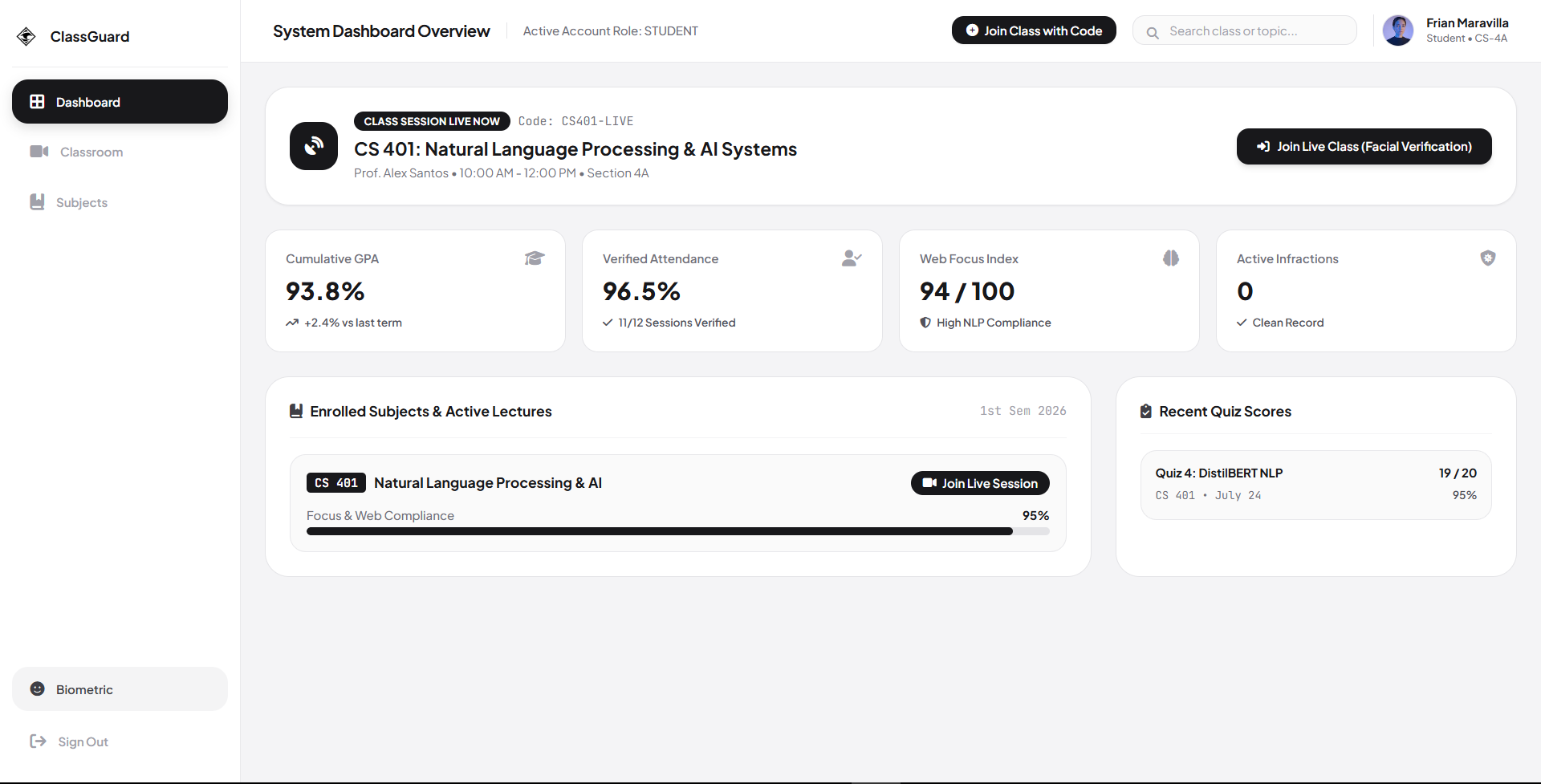
One open tab is all it takes. Social feeds, game lobbies, and video players pull attention before a lesson can land. A teacher cannot watch forty screens at once, and by the time they notice, the lesson is gone.
The monitored browser classifies every URL before it loads. Educational pages open. Distraction sites hit a restricted screen, an automatic infraction log, and a teacher notification — in the same second.
Features
Every URL is classified before it loads. Educational queries open; social, gaming, video, and shopping are blocked and logged.
Lock or unlock the browser instantly, force full kiosk lockdown, or drop the class into instructor-only focus mode.
Per-student attention, focus, and infraction counters update live. One click exports everything to CSV.
Push a quiz mid-lesson, score it instantly, and see which students are actually with you.
Face-profile registration ties identity to participation with a verified-attendance flow.
Students raise a digital hand from the monitored browser. Focus mode toggles instructor-only or open browsing.
For schools
Manage users, accounts, and classes from one console. Least-privilege access keeps the data plane tight.
Accounts · Roles · Classes
Run class, lock the browser, push quizzes, and watch telemetry live from a single feed.
Lock · Quiz · Telemetry
Join with a class code, browse inside the monitored browser, and raise a hand when you need help.
Class code · Browser · Hand
How it works
Unzip the portable ZIP and launch. No installer, no admin rights, no setup wizard.
Create or seed a class. A class code is generated automatically and shown once.
Students enter the class code in the ClassGuard app and land in the session.
The browser watches every URL; teachers see focus, attention, and infractions live.
The monitored browser
ClassGuard ships with its own monitored browser. The on-device NLP filter classifies every URL at the address bar, so a distraction never gets a chance to load.
Distraction blocked
Category: video · Logged as infraction
Earthquakes: science explained
science · article · read time 6 min
A short, factual article on how plate movement builds seismic pressure — classified as educational and cleared to load.
Teacher telemetry
The teacher dashboard streams per-student attention, focus, and infraction counters as class happens. No after-the-fact guessing, no blank screen walking — just a live feed that keeps the lesson moving.
In class
26
Verified
26
Infractions
3
Security & privacy
Passwords are hashed and salted with PBKDF2 before they ever touch the database.
MySQL/MariaDB auth with an automatic local SQLite fallback. ClassGuard still works with zero network.
The app connects with a least-privilege account that reads and writes only what a session needs.
Real credentials live in environment configuration, never in the repository.
About the developer
FMJunior Software Engineer
Frian built ClassGuard end to end — from the monitored browser that classifies every URL, to the telemetry and the classroom dashboard. A Windows-first desktop app that ships as a portable ZIP with no installer required.
FAQ
Yes. Authentication is cloud-first with an automatic local SQLite fallback, so ClassGuard keeps running with zero network. Telemetry syncs back up when the connection returns.
An on-device NLP content filter classifies every URL before it loads. Educational queries pass; known distraction categories — social, gaming, video, shopping — are blocked with a restricted screen and logged as an infraction.
Students join a session with a class code generated by the teacher. Optional face-profile registration unlocks the biometric verified-attendance flow.
Class data stays inside your school's own database. Passwords are PBKDF2-hashed, the app uses least-privilege database access, and real credentials are never committed to the repository.
ClassGuard ships as a portable ZIP. Unzip it, run ClassGuard.exe, and it starts. No installer, no admin rights, no registry writes.
ClassGuard targets 64-bit Windows 10 and Windows 11. The unzip-and-run model means no elevated install steps on either.
Early access · v0.2.0-alpha · Windows 10/11
Request an early-access build. We send invites in small batches as seats open.